ORDER GAME CARD
We already created our own account so lets start. In this tutorial, I will show you how to buy game card.
1st Step
DEPOSIT CASH
We must first deposit cash on the following banks, (METROBANK, BDO, and BPI). I will suggest that you deposit your account via BPI because METROBANK and BDO will charge you P50.00 transmittal fee for every transaction you made. Below are the bank accounts where you can deposit your cash:
BPI Bank
BPI Bank Account 8379-0657-92
Account Holder Name - Racquelle S. Intal
Account Type Savings Account (S/A)
BDO Bank
BDO Bank Account 2010 1818 04
Account Holder Name - Ar Chavez Deles
Account Type - Savings Account
Metrobank
Metrobank Account 305-533-0027
Account Holder Name : Diane G. De Castro
Account Type : Savings Account (S/A)
Before you deposit cash on these banks, make sure to check the card's price on the website so that you will not encounter problems when you start to buy card on SEAGM.com
Below are the amounts you will need to deposit.
10 Points equivalent to 1,000 CK cash points - P70.26
30 Points equivalent to 3,000 CK cash points - P210.78
50 Points equivalent to 5,000 CK cash points - P351.30
100 Points equivalent to 10,000 CK cash points - P702.59
(Amount varied every day so these amounts will sometimes increase or decrease. This is outdated as the amount on the website was already P78.50)
You will be given receipts for every transactions you made on a certain bank. Kindly keep the receipt to verify your payment. Receipts will be used to verify transaction like, the Bank, date and time of deposit and the amount you deposit.
2ndStep
BUY CARD
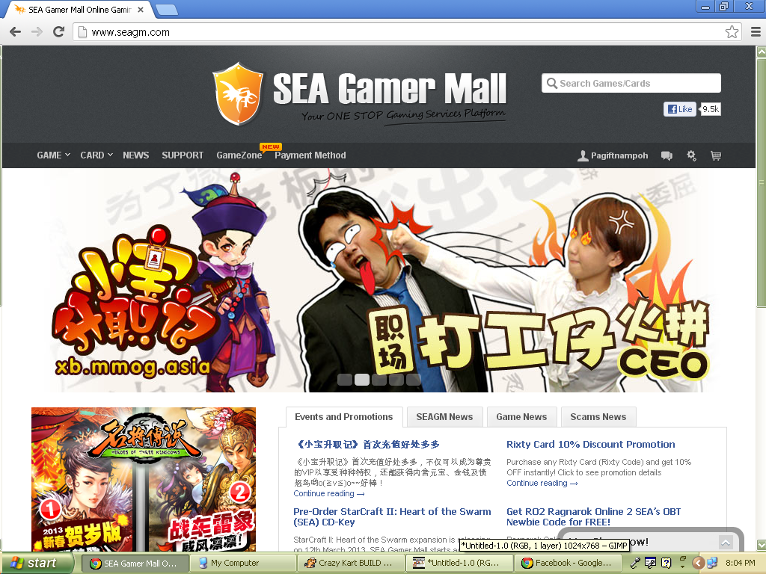
Go to www.SEAGM.com and login your account.
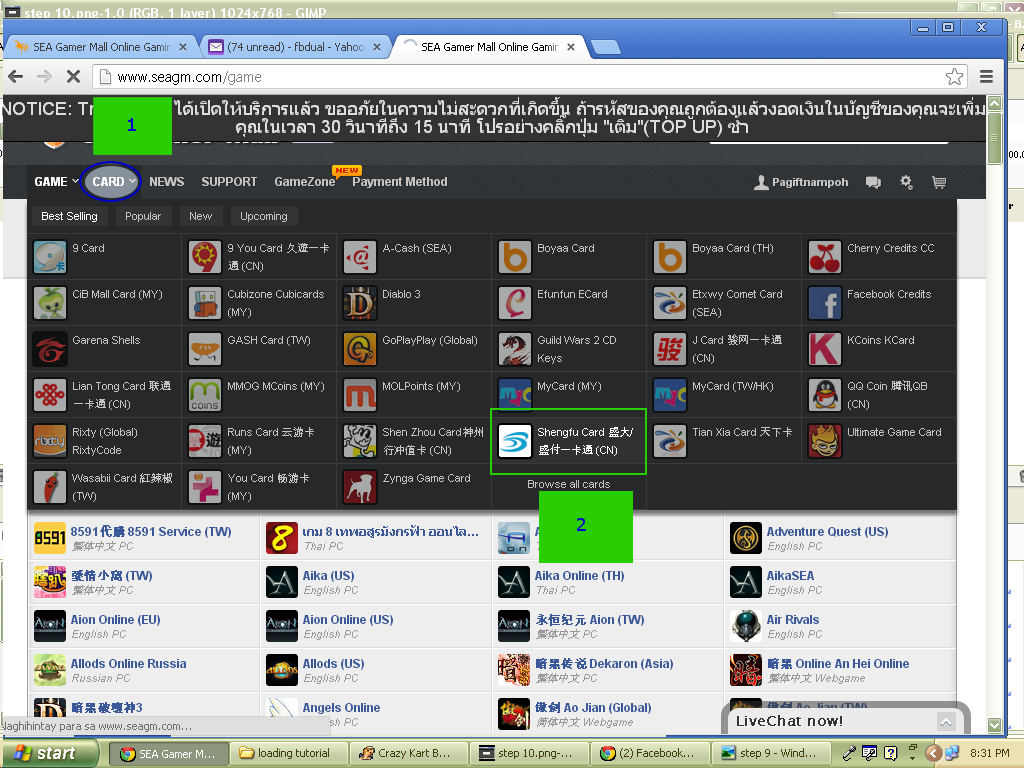
Click the "CARD" tab and click the "SHENGFU" CARD button. You will be redirected to Shanda Game Card (Shengfu Card).
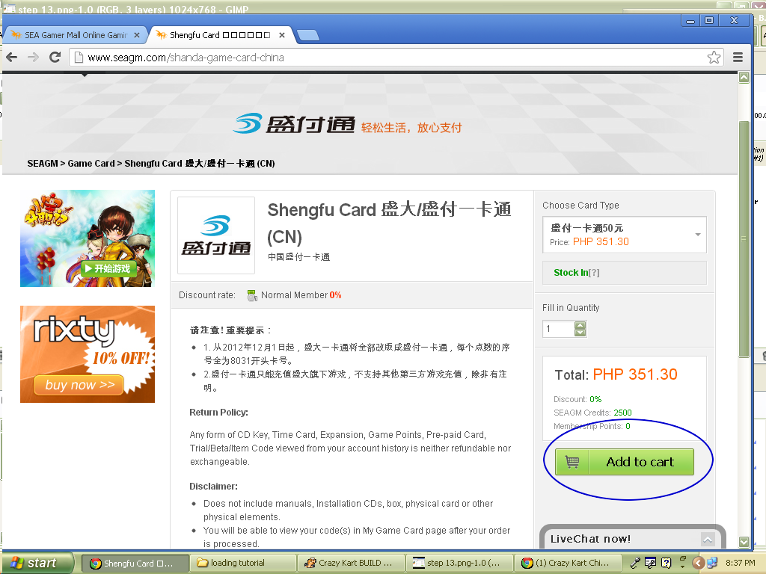
Below is the Shengfu Card. On the right side of the screen you will see the following: Card Type, Fill in Quantity, Total amount, and Add to Cart.
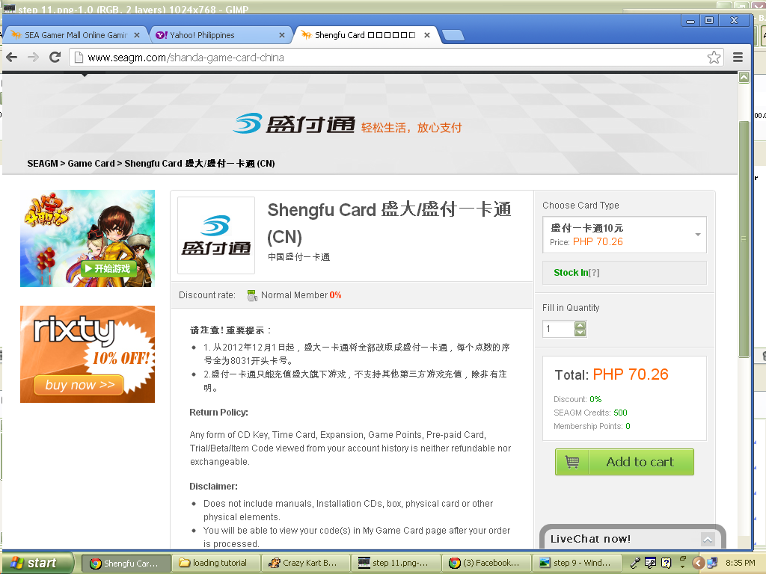
Click the drop down button on CHOOSE CARD TYPE and select the amount you want to buy. The amount you see is equivalent to Chinese Currency.
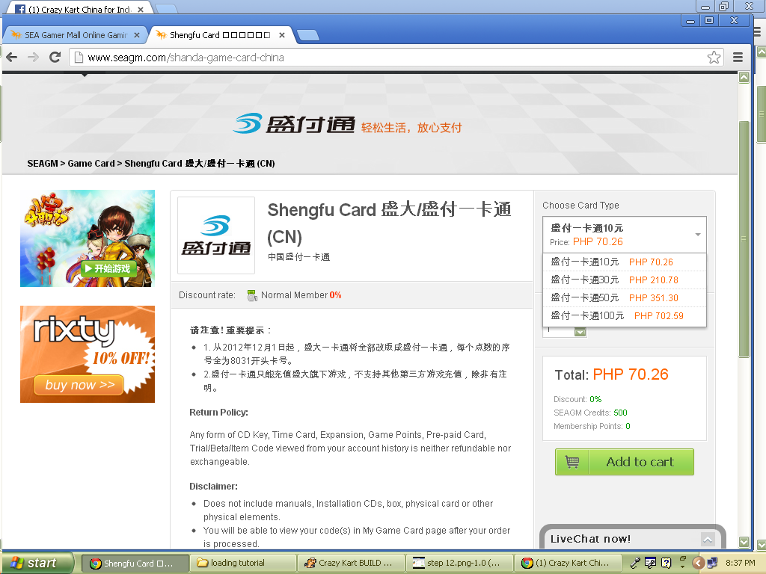
Fill in Quantity means that the number of cards you want to buy.
Click the ADD TO CART
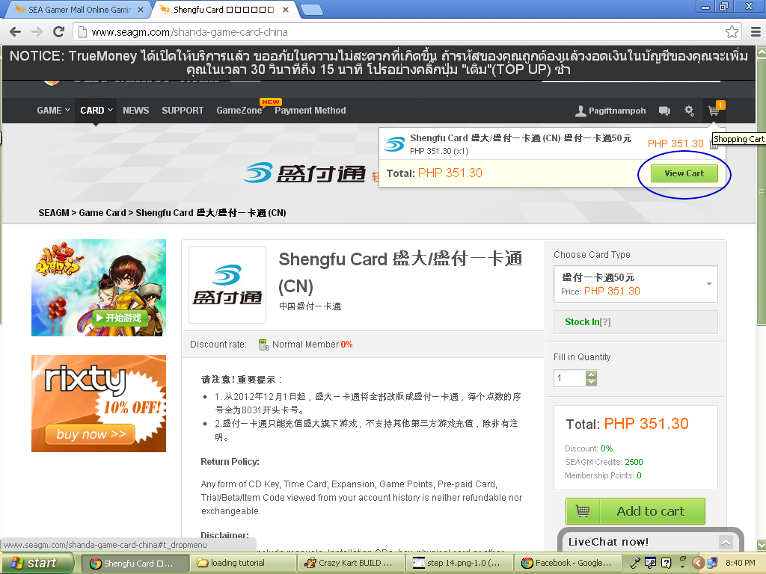
Click the "VIEW CART" notification.
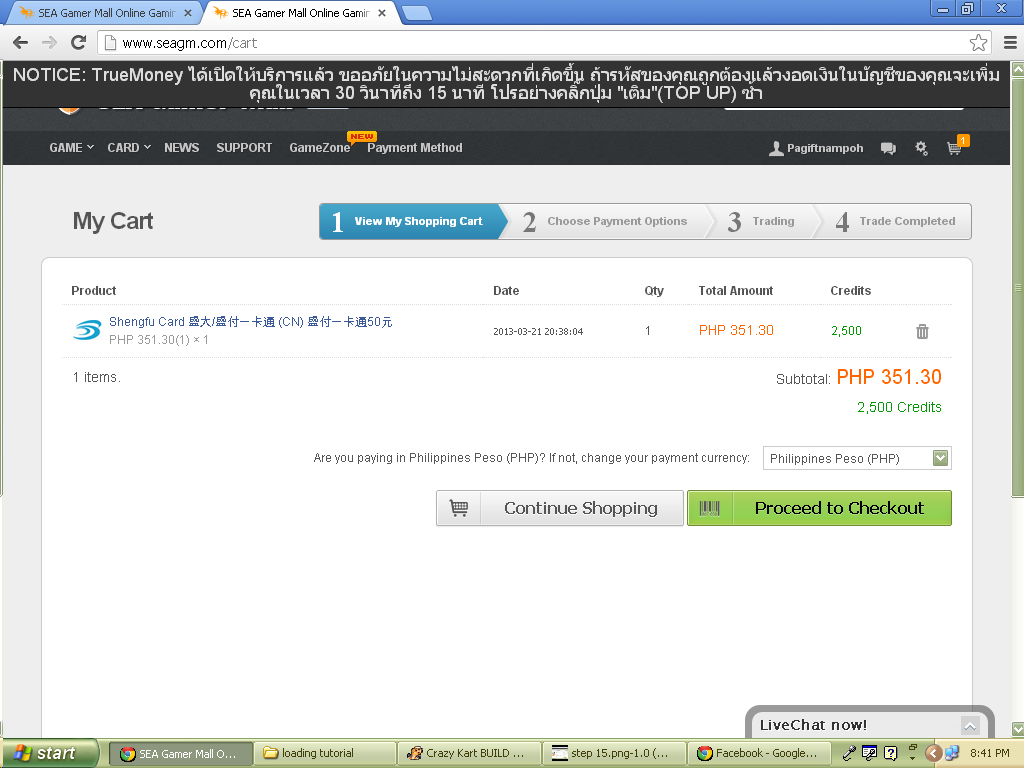
You will be redirected to MY CART. It contains the date, quantity, and the amount item you want to buy. Click the PROCEED TO CHECKOUT button.
This will be your last journey in buying card. You will need an operator for this one. But first you must check your PAYMENT NUMBER
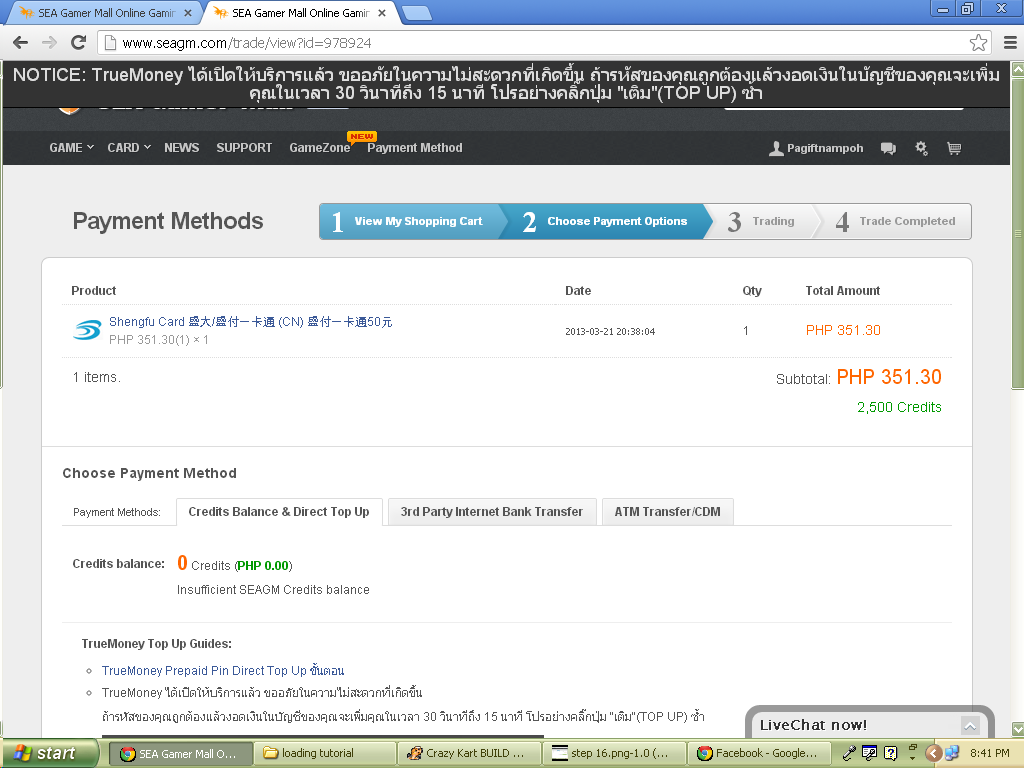
Click the CONTROL PANEL and select MY ORDERS.
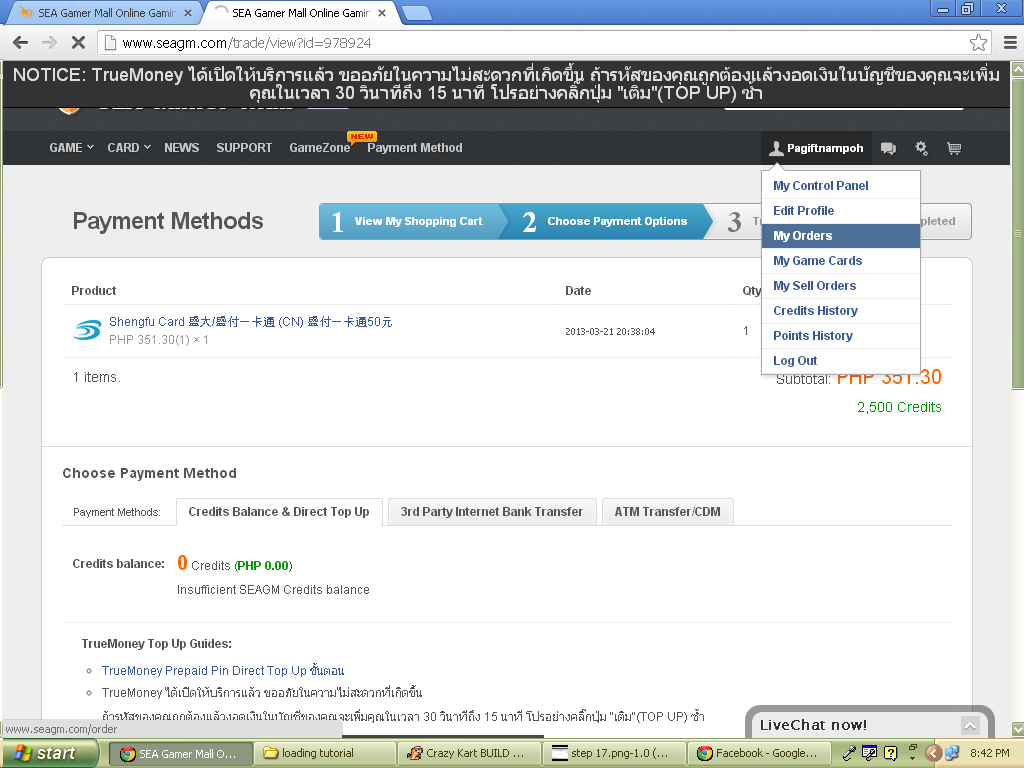
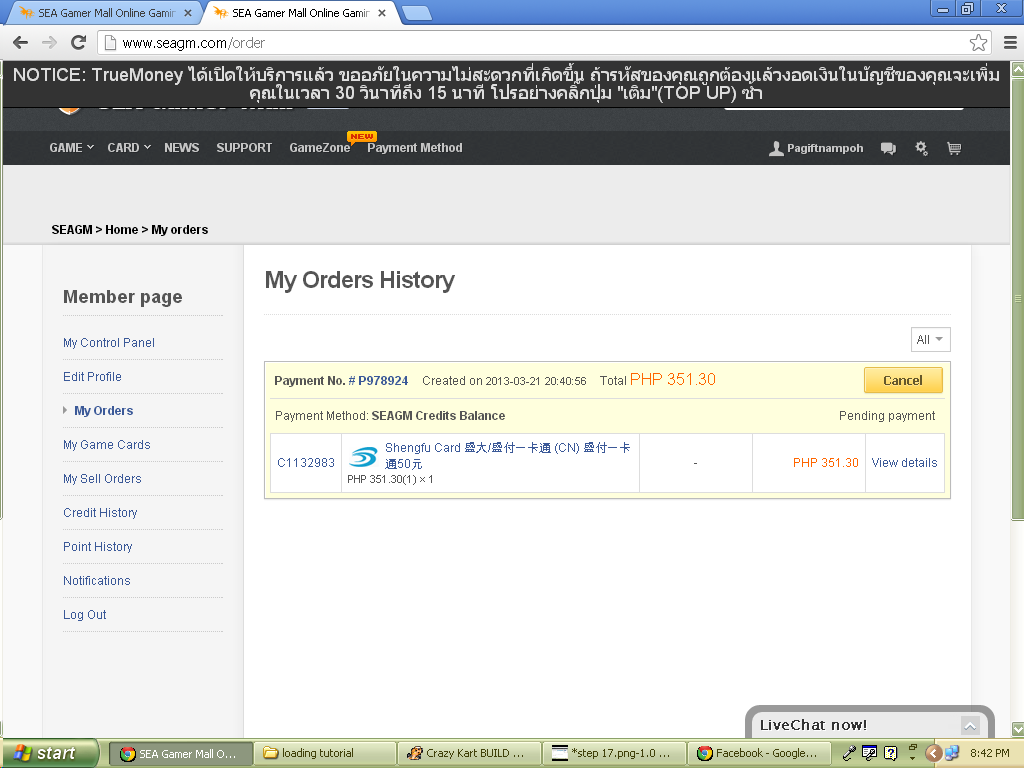
This will be your ORDER HISTORY.
This also indicate the order you made a while ago. Your order will expire after 4 hours.
Get the Payment Number as you will use it when an operator ask this one.
To get an assistance just click the LIVE CHAT at the bottom of the webpage and fill up the forms or connect to facebook.
3rd STEP
LIVE CHAT
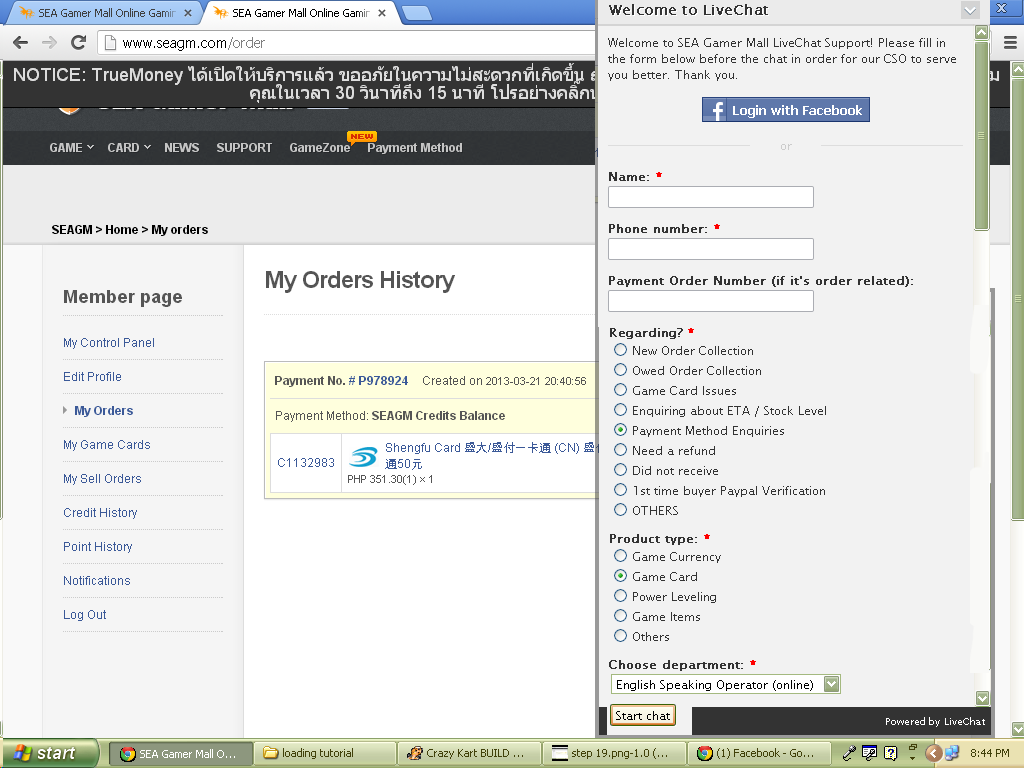
When you fill up all the information needed, click the START CHAT button.
Wait for the operator. Prepare the following : PAYMENT NUMBER, BANK, AMOUNT DEPOSIT, and the DATE and TIME of deposit.
Once the operator is online, say hello, or polite words on them. If you are having hard time speaking in english just give the information right away. They already knew what to do.
Wait for a moment as they will verify your order.
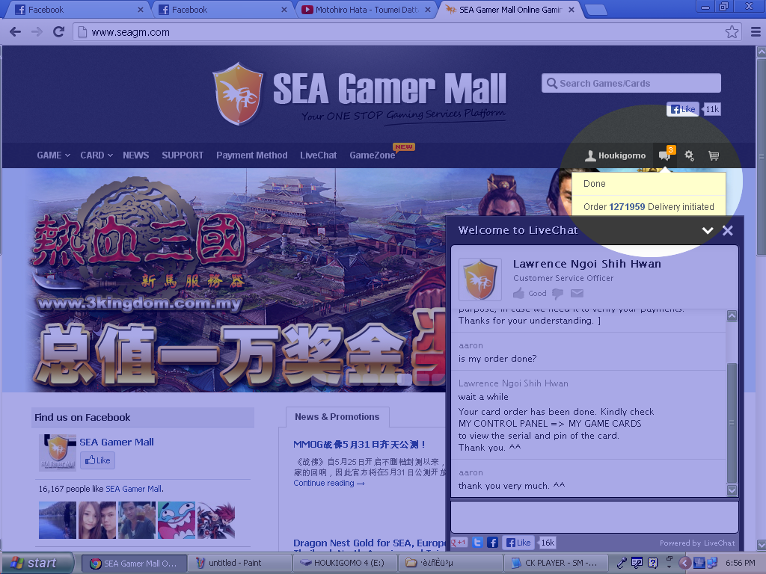
After a few minutes the operator will inform you that the transaction was already finished. Don't forget to say thank you before leaving the livechat. You will also see the notification that the order was transferred to your account.
Click CONTROL PANEL and select MY GAME CARD.
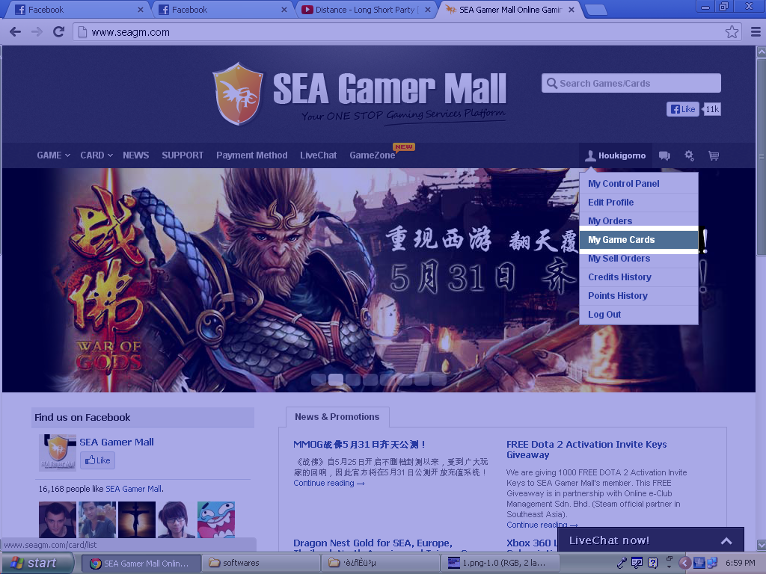
ENTER YOUR 2FA Pin and click Submit.
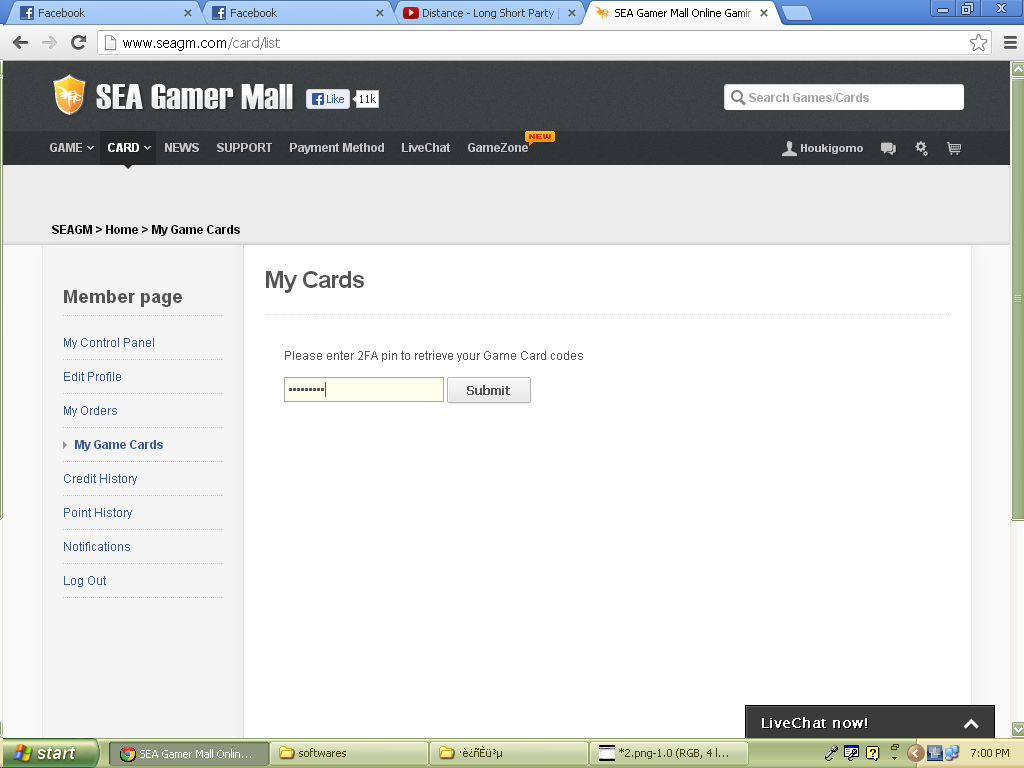
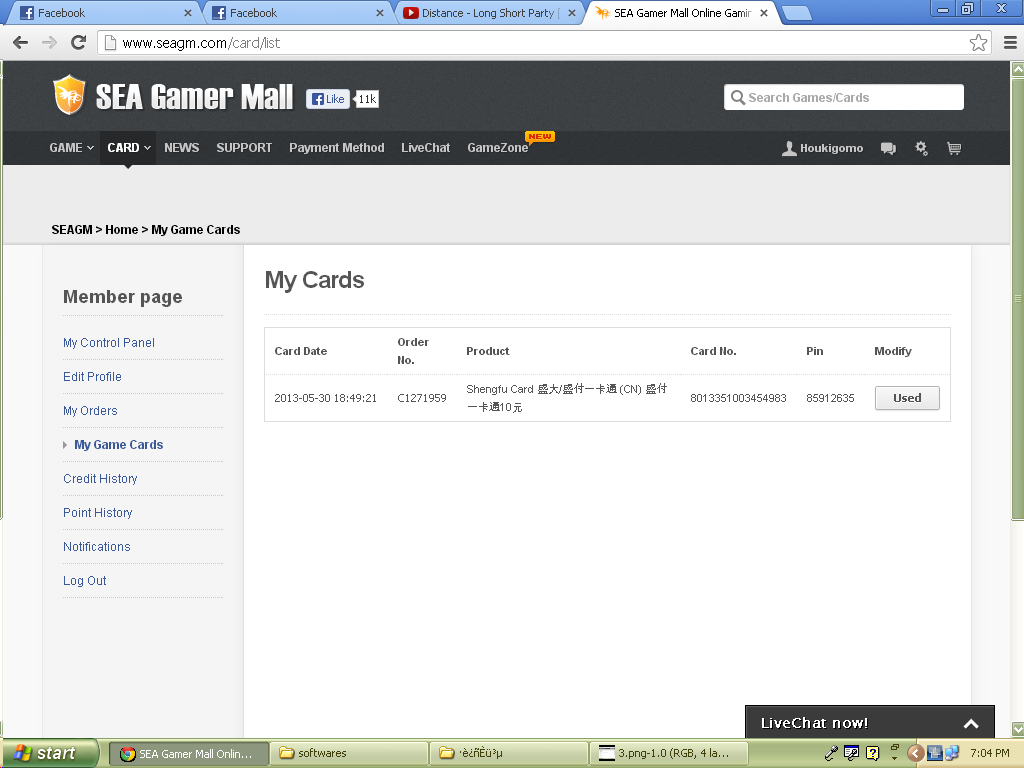
FINALLY YOUR GAME CARD. You can now use this card to top up on Crazy Kart 2 China.
The card there has already been used. Don't attempt to use that. XD