REGISTER FOR AN ACCOUNT
Before we can load our cash on Crazy Kart, we should have an active SEAGM accounts. I will show you step-by-step tutorial on how can we register on SEAGM.
Step 1
Go to the SEA Gamer Mall website (www.seagm.com). Log in your account if you already have one. If you still don't have account, you can create/register a new account just by clicking REGISTER tab.

Step 2
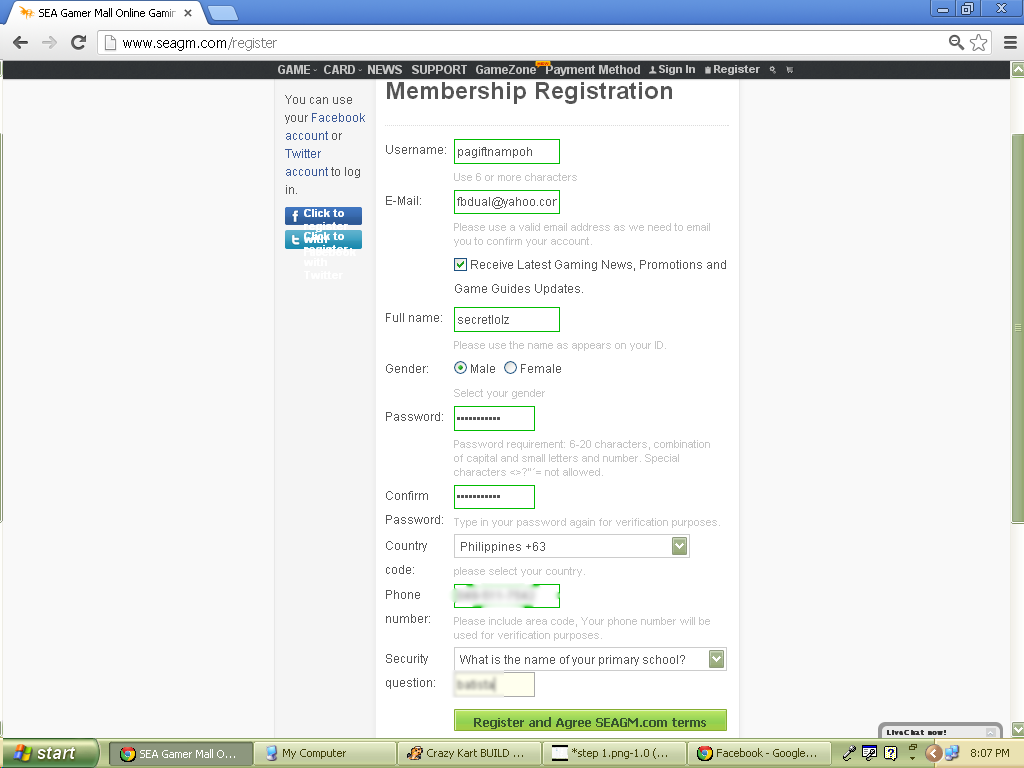
In this next step you willbe given a form where you can fill up all the information needed like Username, email (should be active for verification purposes), Full name, Gender, Password*, Country (default based on your location), Phone Number, Security question, and your answer to security question, then click the REGISTER AND AGREE SEAGM.COM button.
Password : Should contain CAPITAL LETTER/S, small letters, and number/s.
Step 3
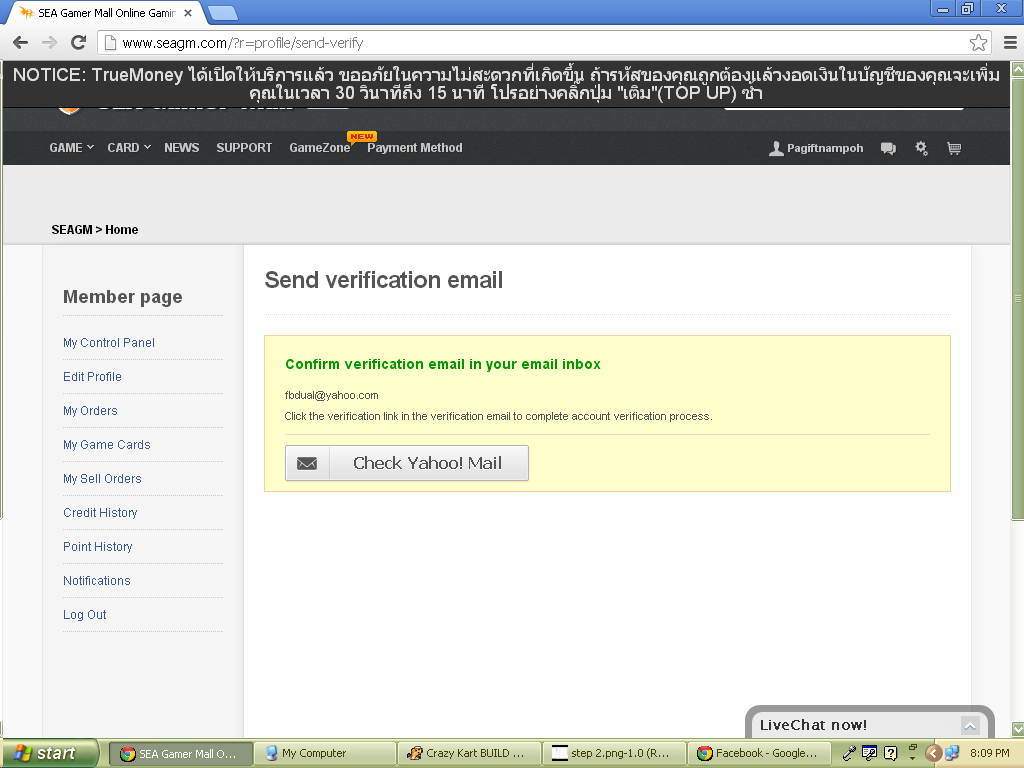
After you click the REGISTER AND AGREE SEAGM.COM TERMS, the system will send verification code on your email address. Check your email address now.
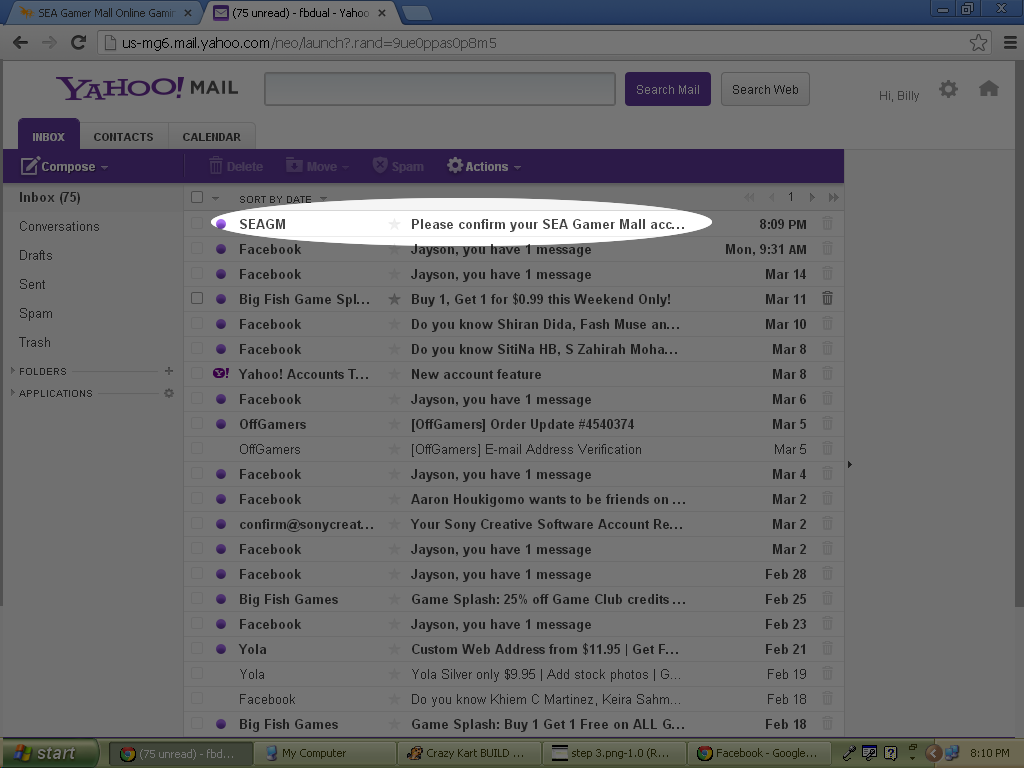
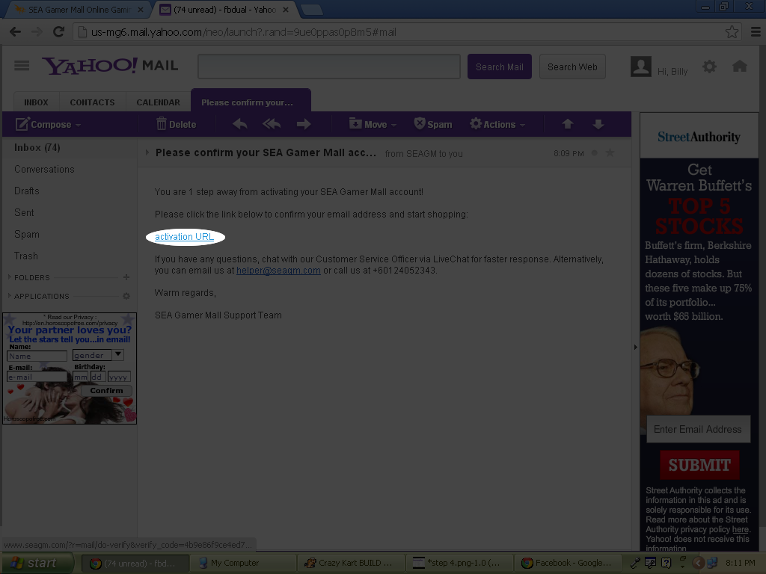
On your INBOX, you will see the message sent by the SEAGM open it and click the activation link on that message. Make sure that you created a valid email address.
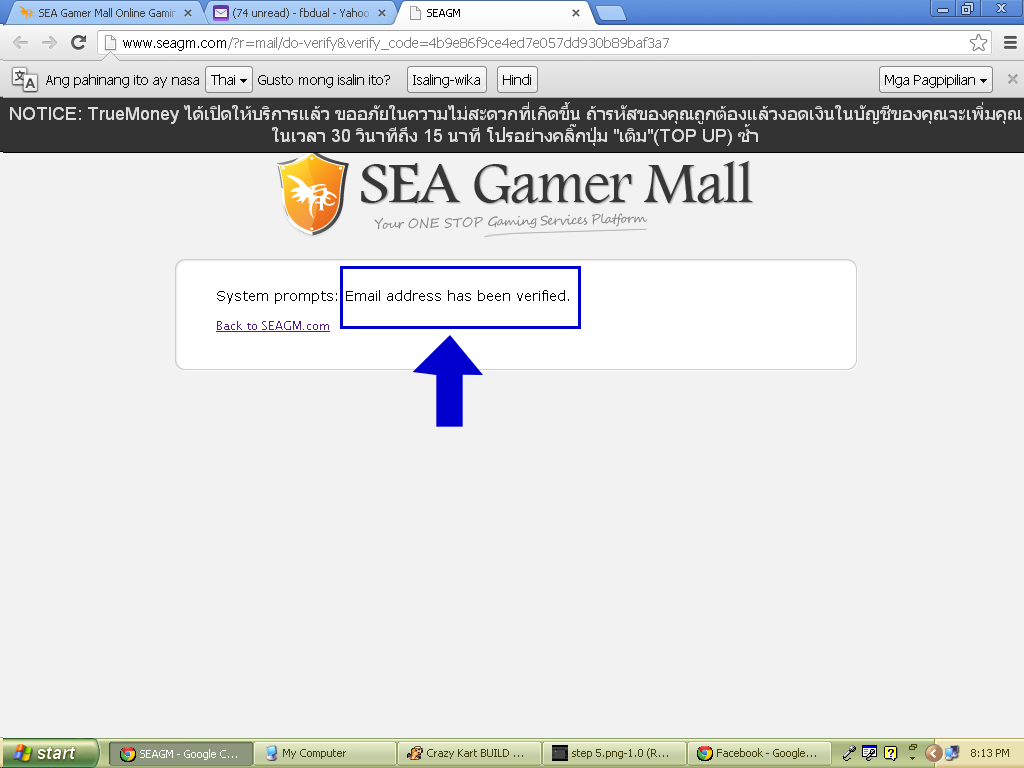
Step 4
Assigning password.
This is very important part of your account. Make sure that you will put password that you will never forget.
Edit your profile by just clicking the CONTROL PANEL or just click the EDIT PROFILE button at the left portion of the screen.
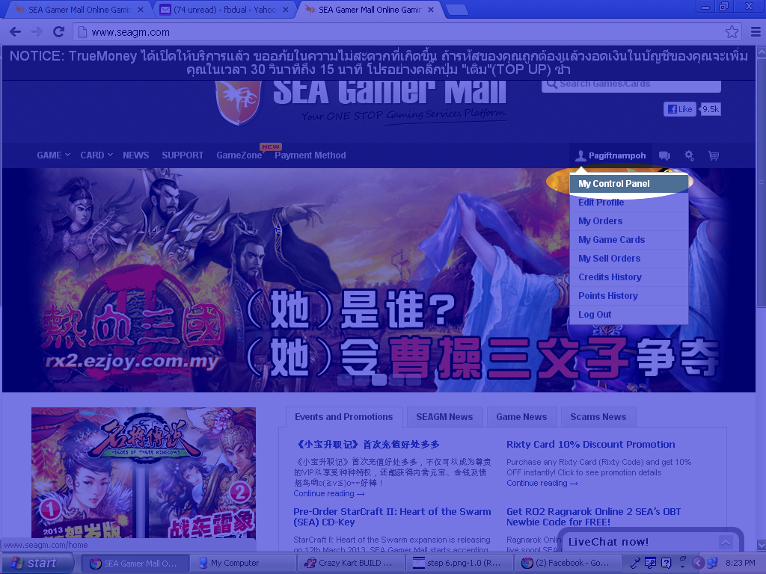
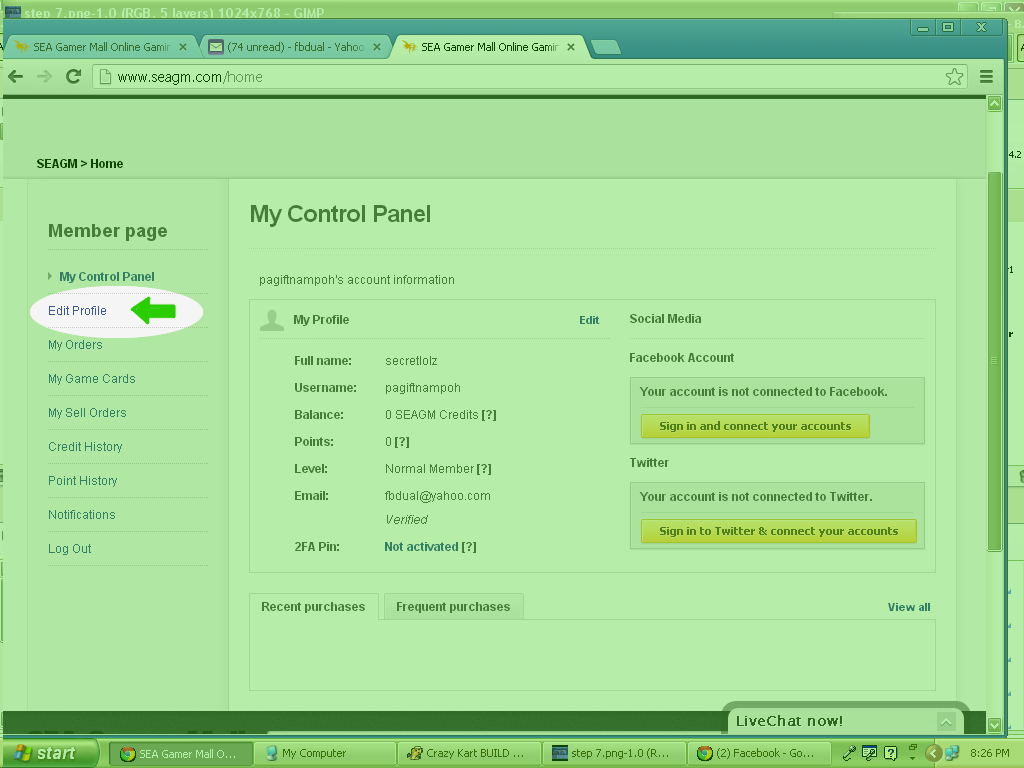
Click 2FA Pin and assign password on it. Once done click save changes and a dialog bar will appear containing the security question. Answer your security question and click validate.
Your 2FA Pin is already secured.
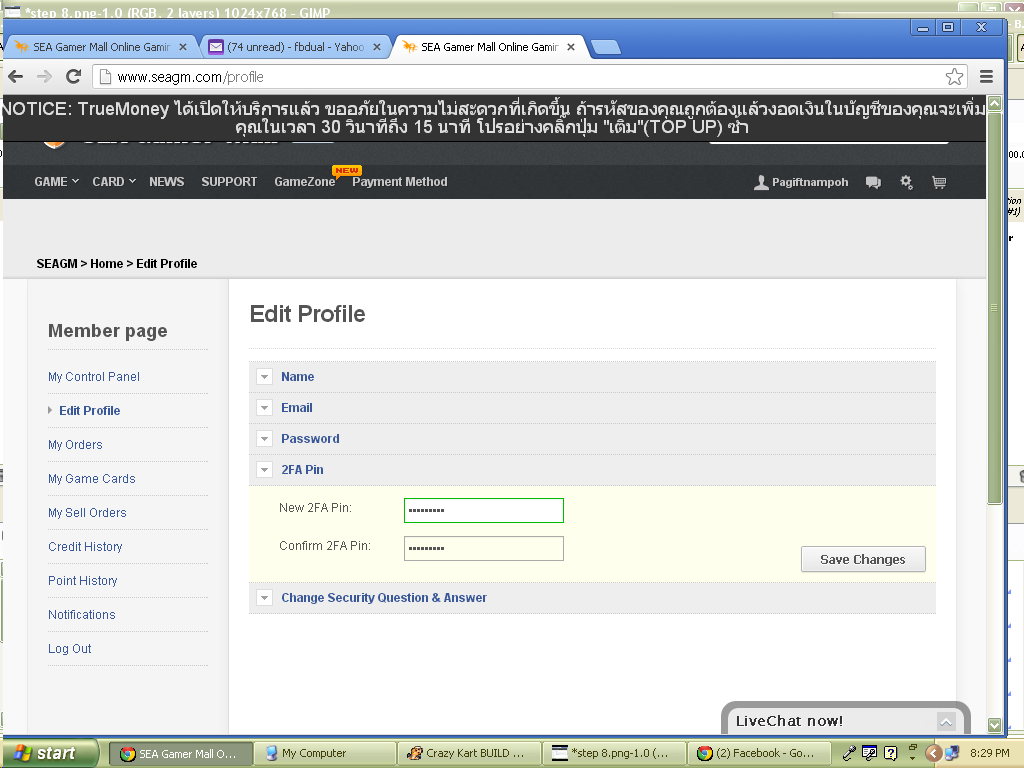
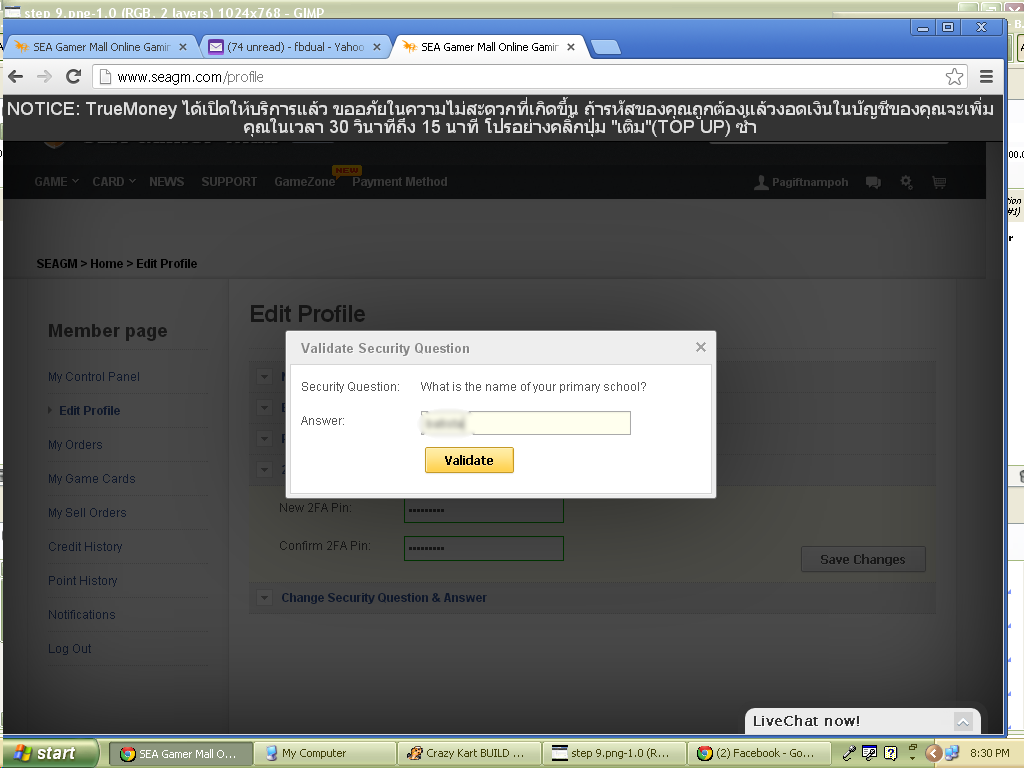
2FA Pin is important so that your ordered card will be secured and cannot be accessed by those hackers.
Click here to edit this text.